CI/CD : Continuous Integration Continuous Deployment
테스트 Test, 통합 Merge, 배포 Deploy 과정의 자동화
CI/CD 도입 전 배포 : EC2에 git pull (또는 clone) -> ./gradlew clean package 빌드 과정 -> nohub ~.jar (실행)

Jenkins가 대표적인 CI/CD 플랫폼이며, 근래에는 Github Actions도 떠오르는 추세이다.
Jenkins는 별도의 서버를 구축해야하는 단점이 있어 서버 대여 비용이 발생하지만 Github Actions는 별도 서버 구축 없이 Github에 내장되어 있는 Github Actions 기능을 사용할 수 있다.
Github Actions : "코드 변경 시 빌드 → 테스트 → 배포 과정을 자동으로 실행해주는 서비스"

흐름 : commit & push -> Github trigger -> Github Actions build & test & deploy
Github Actions 기능 테스트
1. 프로젝트 또는 테스트용 폴더 생성
2. .github 폴더 생성 (mkdir .github)
3. .github 폴더 속에 workflows 폴더 생성 (이름을 반드시 맞추어야 한다) (cd .github && mkdir workflows && cd workflows)
4. workflows 아래에 deploy.yml 생성 (vi deploy.yml)
5. 작성 후 Github Repository에 remote, commit, push
deploy.yml (yml 파일은 들여쓰기가 중요)
# workflow 이름
name : Github Actions 실행 테스트

# 트리거 설정 : main 브랜치에 push될 때 Github Actions 동작
on:
    push:
    	branches:
            - main

# Github Actions 동작 시 작업 지정
jobs:
    My-Deploy-Job:
    	runs-on: ubuntu-latest

        steps:
            - name: Hello World 연습
              run: echo "Hello World"

            - name: 여러 step 작성
              run: |
              	echo "Good"
                echo "Morning"

            - name: Github Actions 내부에 저장되어있는 자체 변수 사용
              run: |
              	echo $GITHUB_SHA # 현재 커밋 해시값 (고유값)
              	echo $GITHUB_REPOSITORY # 현재 작업 리포지토리

            - name: 공개되지 않아야할 개인 데이터 관리
              run: echo ${{ secrets.MY_NAME }} # setting - actions에 설정한 암호화된 값
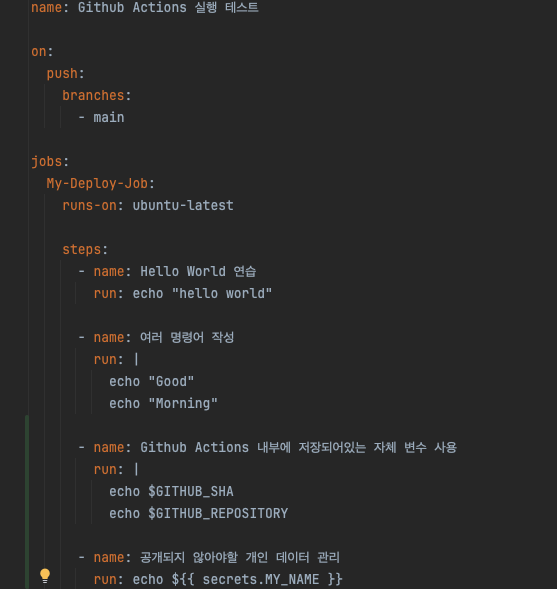
deploy.yml 분석
name: Github Actions에 이름을 붙이는 기능

on - push - branches: 어떤 시점에 Github Actions를 실행시킬지에 대한 기능 (Trigger 설정)

jobs: workflow가 수행할 기능, 하나의 workflow는 1개 이상의 Job로 구성, 여러 Job이 있을 경우 병렬적으로 수행

runs-on: Github Actions가 동작하는 환경

steps: 특정 작업을 수행하는 가장 작은 단위, 하나의 Job은 여러 Step들로 구성되어 있다.

run: step 실행 시 동작할 리눅스 명령어 지정 (복수 지정 시 | 사용)
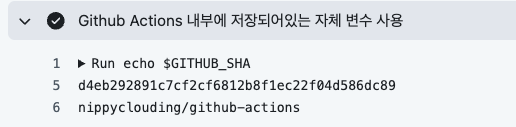
deploy.yml - steps - Github Actions 내장 변수 출력 기능
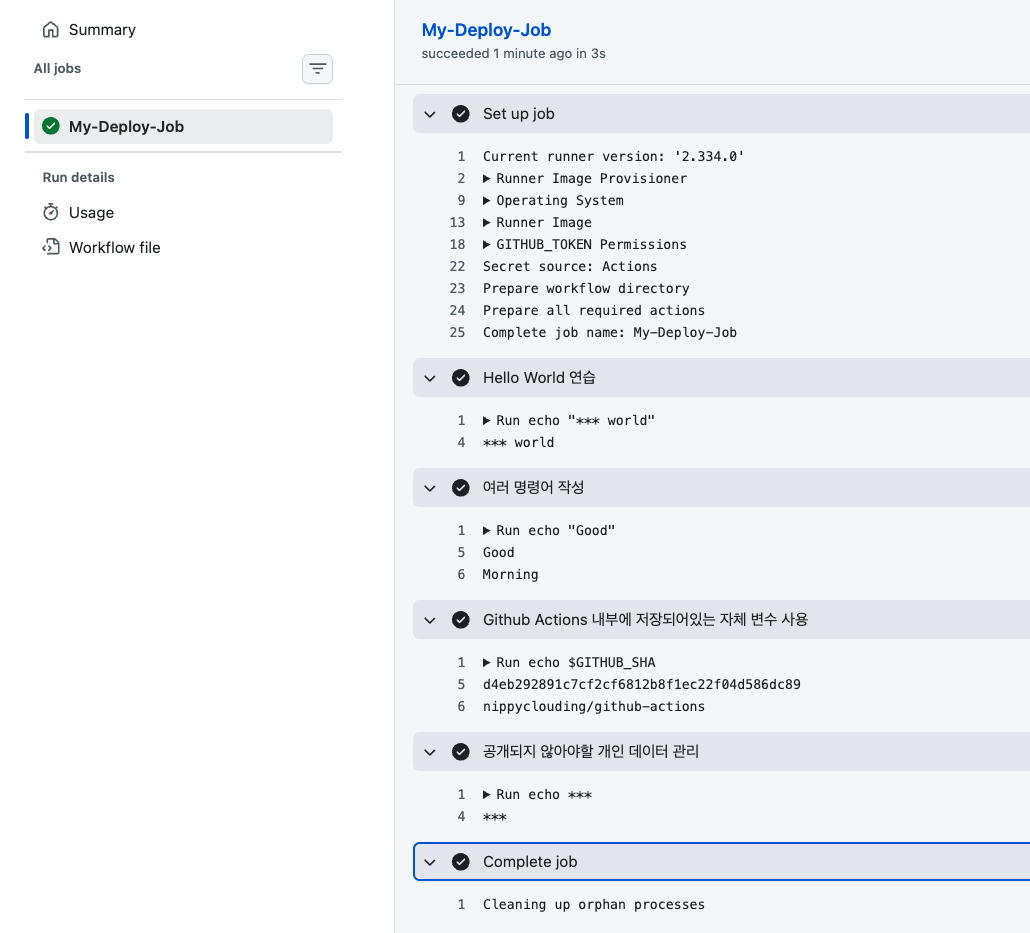
echo $GITHUB_SHA
echo $GITHUB_REPOSITORY
$GITHUB_SHA : 현재 커밋의 해시값 (고유값) 출력
$GITHUB_REPOSITORY : 현재 GitHub Actions가 동작하는 리포지토리 출력
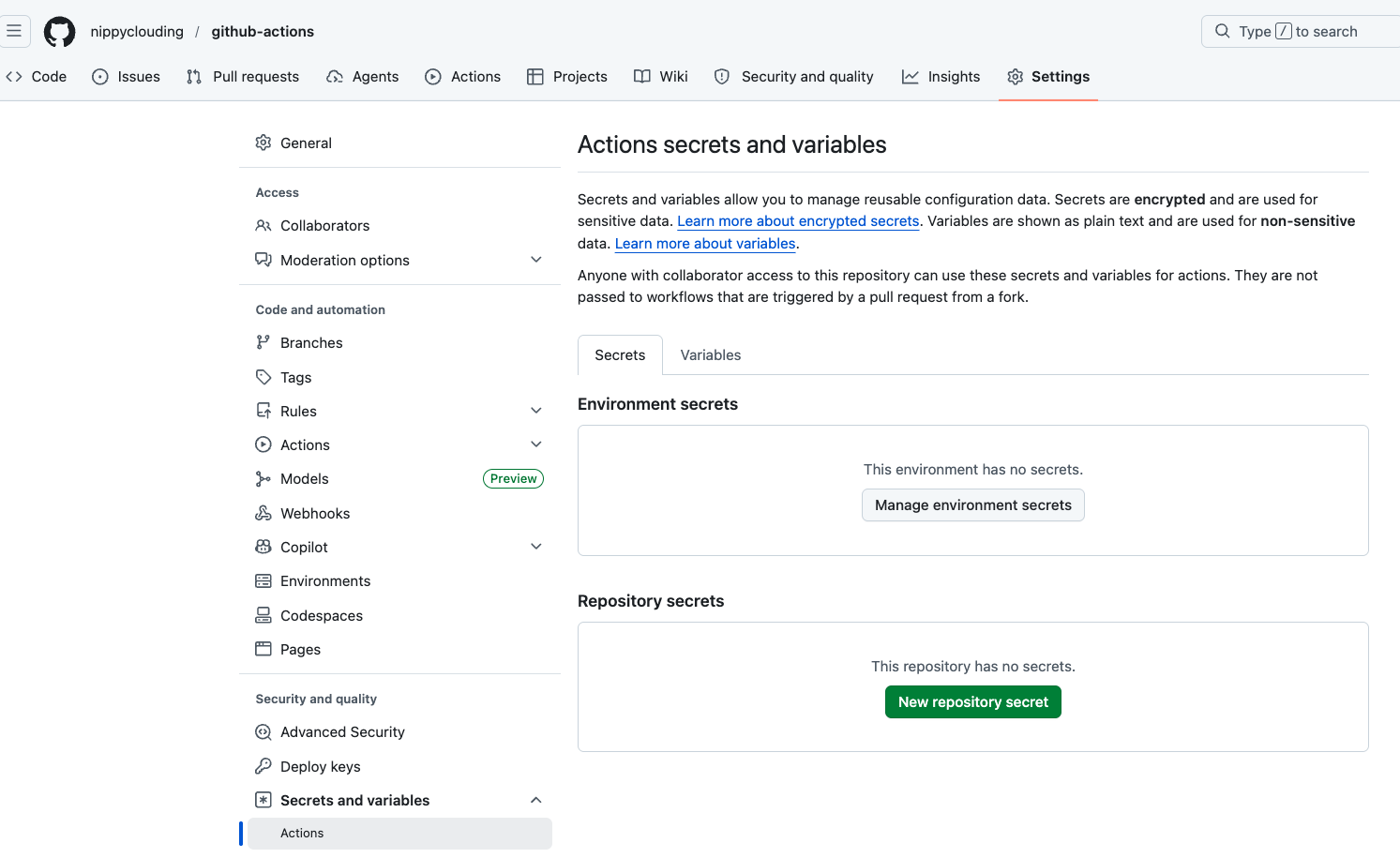
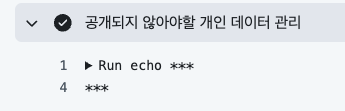
사용자 개인 정보 등 민감한 값 설정
Settings - Secrets and variables - Actions - New Repository secret
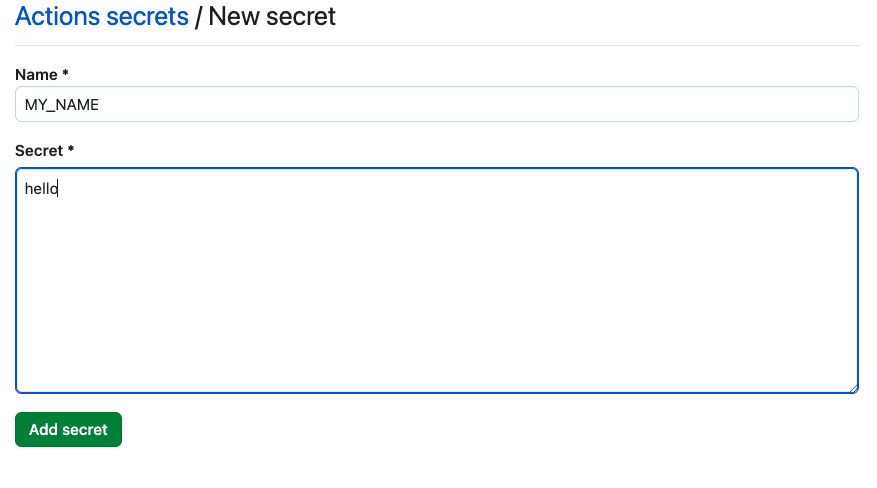
deploy.yml - ${{ secrets.설정 변수 }}
run: echo ${{ secrets.MY_NAME }}
깃허브에 새로운 리포지토리 생성, .github을 만들어둔 프로젝트와 연동
# 현재 프로젝트 깃허브 리포지토리와 연동
git init
git add .
git commit -m "first commit"

git branch -M main
git remote add origin https:/github.com/새로 생성한 리포지토리.git
git push -u origin main

# 실제 연결 위치 : https://github.com/nippyclouding/github-actions.git
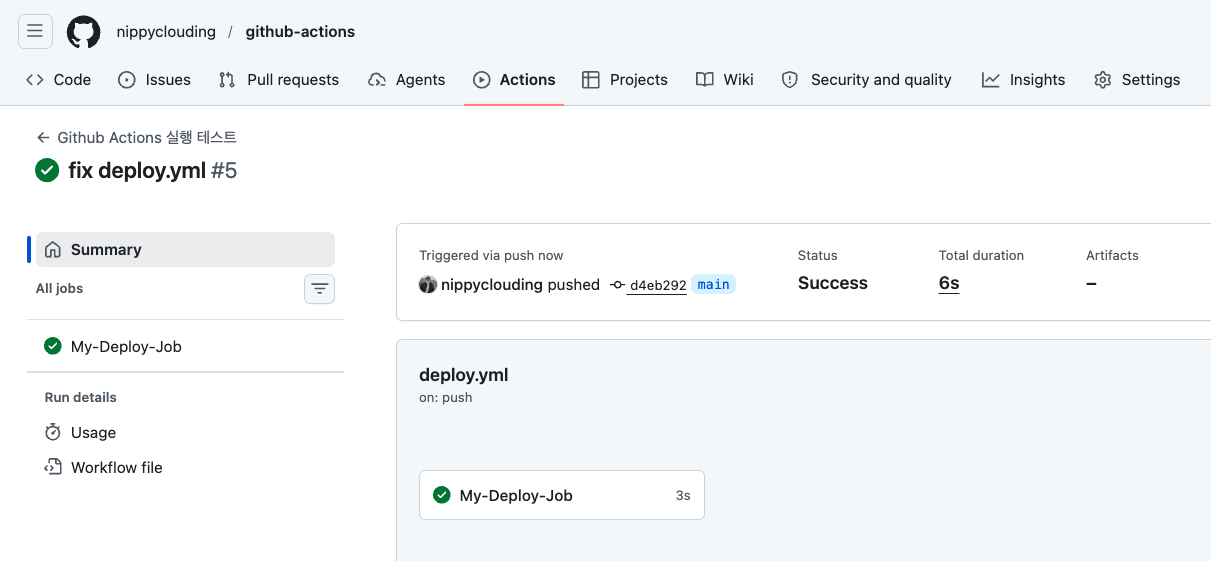
깃허브의 해당 리포지토리 'Actions' -> 'My-Deploy-Job' 확인을 통해 Github Actions가 정상동작하는 것을 확인할 수 있다.
공식 문서
https://docs.github.com/ko/actions
GitHub Actions 문서 - GitHub 문서
Build and test code .NET 빌드 및 테스트 CI(연속 통합) 워크플로를 만들어 .NET 프로젝트를 빌드하고 테스트하는 방법을 알아보세요. Deploy to environments .NET을 Azure App Service에 배포하기 .NET 프로젝트를 Azu
docs.github.com
'Infra > CI&CD' 카테고리의 다른 글
| [CI/CD] Github Actions 1 : Git Pull 방식의 CI/CD (0) | 2026.06.06 |
|---|